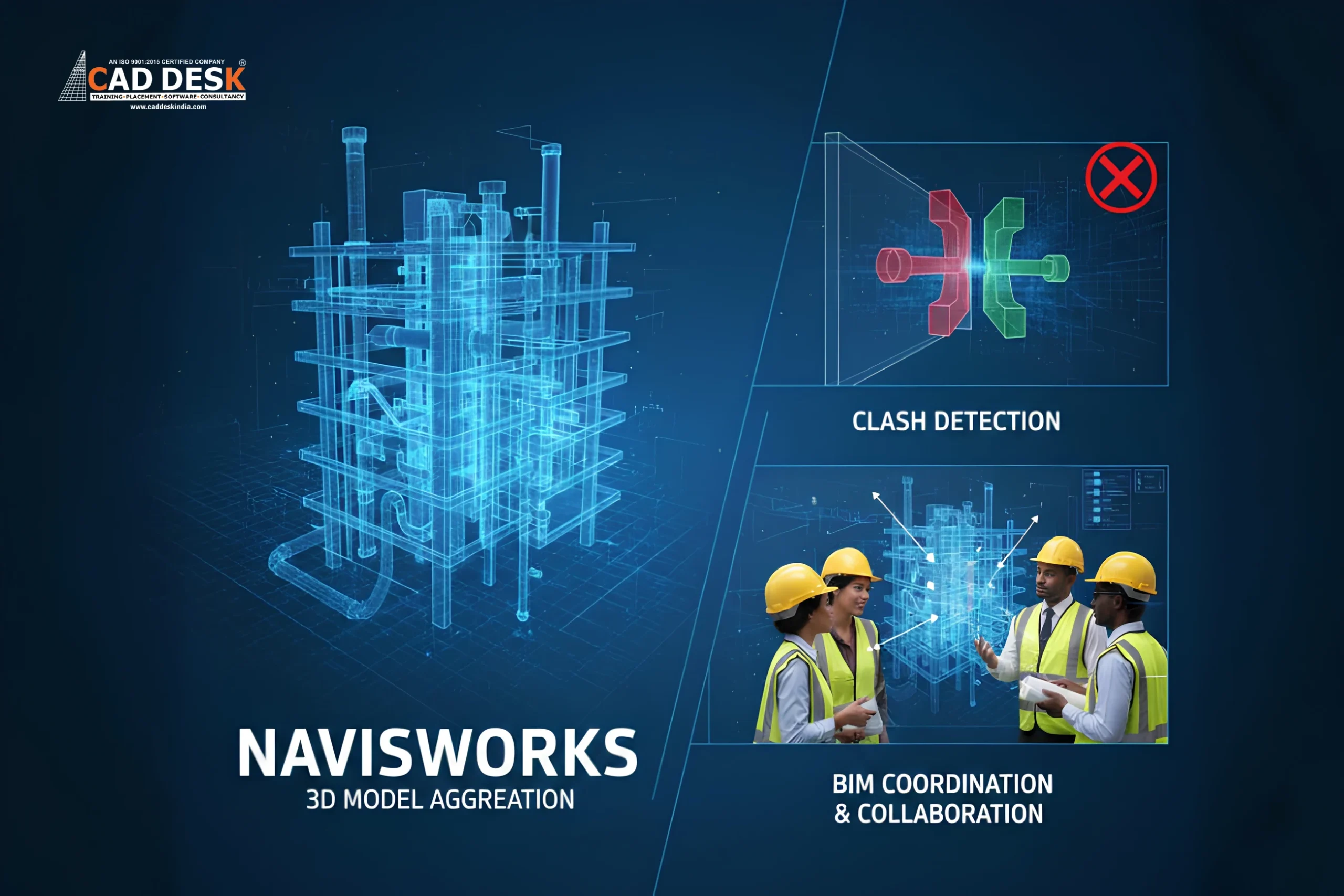
What Is Navisworks? How It Helps in BIM Coordination & Clash Detection
Quick Summary:
1. Improves BIM Coordination Accuracy – Combines architectural, structural, and MEP models into one federated view, helping teams detect design conflicts early and maintain coordination across disciplines.
2. Reduces Costly Site Rework – Identifies hard, soft, and workflow clashes before construction begins, preventing expensive on-site corrections and material wastage.
3. Enhances Project Visualisation – Enables 3D model reviews and walkthroughs that improve design understanding for clients and stakeholders, reducing approval delays and design misinterpretation.
4. Supports Construction Planning – Links 3D models with schedules to visualise construction sequences, helping teams plan activities, avoid overlaps, and improve site coordination.
5. Boosts BIM Workflow Efficiency – Integrates seamlessly into BIM processes, streamlining coordination reviews, improving team collaboration, and supporting faster, error-free project delivery.
If you are a civil or architecture student, site engineer, or BIM professional in India, you might have heard about Navisworks but are not fully clear about what it does. In this blog, we will explain what is Navisworks, how the Navisworks tool for BIM supports project coordination, and why Navisworks clash detection is important in real construction projects. You will also understand how Navisworks fits into the BIM workflow, its benefits for Indian construction projects, and how it helps reduce site errors and project delays.
What Is Navisworks?
Navisworks is a project review and coordination software developed by Autodesk. It is widely used in BIM workflows to combine 3D models created in different software such as Revit, AutoCAD, Tekla, and Civil 3D into one single coordinated model. This combined model is commonly known as a federated model.
So, when people ask what is Navisworks, the simple answer is that it is a platform where all discipline models come together for review and coordination. It does not replace modelling tools. Instead, it helps teams analyse the design and construction process before work begins on site.
Why Navisworks Is Important in BIM Projects
In many Indian projects, coordination is still handled through 2D drawings and manual checks. This often leads to issues such as service lines clashing with beams, ducts interfering with structural members, or electrical conduits passing through columns. These errors result in rework, delays, and increased project costs.
The Navisworks tool for BIM helps solve these problems by offering a shared digital environment where all discipline models are reviewed together. It improves collaboration between architects, civil engineers, and MEP consultants. Early detection of coordination issues helps avoid last-minute changes at the site and supports better project planning.
If you are new to BIM concepts and want to understand why BIM tools are important for students and professionals, you can explore this detailed guide on what BIM is and why civil & architecture students must learn BIM tools in 2026.
This will help you understand how Navisworks fits into the larger BIM process used in modern construction projects.
What Is Clash Detection in Navisworks?
One of the most valuable features of Navisworks is clash detection. Clash detection is the process of identifying conflicts between different building elements in a 3D model before construction starts. This helps teams fix design issues early and avoid costly corrections on site.
Types of Clashes Identified
Navisworks clash detection helps find:
- Hard clashes – When two elements physically overlap, such as a pipe passing through a beam or a duct intersecting a column.
- Soft clashes – When elements are placed too close to each other and violate clearance or maintenance space requirements.
- Workflow clashes – When construction activities overlap in a way that causes sequencing or access issues on site.
For example, if a cable tray passes through an HVAC duct route, Navisworks highlights this conflict clearly in the model. Designers can then modify the routing before construction begins, saving time and money.
How Navisworks Helps in BIM Coordination
BIM coordination is about ensuring all design disciplines work together without conflicts throughout the project lifecycle. In real construction projects, especially in India, coordination issues often happen due to design changes, multiple consultants working separately, and frequent revisions. Navisworks supports this coordination process in multiple practical ways, helping teams identify issues early, improve collaboration, and reduce costly on-site errors.
1. Combining Multiple Models
Navisworks brings architectural, structural, and MEP models into one coordinated environment, creating a single federated model for review. This allows project teams to see how different building systems interact within the same space. For example, engineers can check whether duct routes interfere with beams or if plumbing lines clash with slab openings. By viewing all models together, teams gain a complete understanding of the project layout, reducing design misunderstandings and coordination gaps before construction begins.
2. Visual Coordination for Stakeholders
Project stakeholders in India often find 2D drawings difficult to interpret, especially clients and non-technical decision-makers. With Navisworks, teams can present 3D coordination views, walkthroughs, and section cuts that clearly show how the building will look and function. This visual clarity helps clients, consultants, and contractors quickly understand design intent, approve layouts faster, and give meaningful feedback during review meetings. As a result, decision-making becomes smoother and delays caused by design confusion are reduced.
3. Clash Identification and Resolution
Teams can run clash tests regularly in Navisworks to identify conflicts between architectural, structural, and MEP elements. These clash reports highlight exact problem areas with clear visual markers and location details. During BIM coordination meetings, teams can review clashes, assign responsibility to the relevant discipline, and track resolution status. This structured approach helps resolve design problems early in the planning stage and avoids last-minute changes at site, which usually lead to rework, material wastage, and project delays.
4. Construction Planning Support
Navisworks allows linking 3D models with construction schedules to create a visual representation of how the project will be built over time. This helps teams visualise construction sequences, site logistics, and work zones for different phases of the project. By reviewing these sequences in advance, project managers can identify potential planning issues such as overlapping activities, access constraints, or safety risks. This leads to better planning, smoother execution, and fewer disruptions during actual construction work.
5. Better Coordination Meetings
Instead of reviewing multiple drawings and isolated models separately, teams can discuss coordination issues using a single federated model in Navisworks. This shared visual reference improves communication between architects, engineers, and contractors, as everyone is looking at the same coordinated view. Coordination meetings become more focused and productive, with clear identification of issues and faster decision-making. This approach saves time, reduces misunderstandings, and ensures that all stakeholders stay aligned throughout the project.
Benefits of Using Navisworks in Indian Construction Projects
The adoption of BIM is growing steadily in India, especially in metro rail projects, commercial buildings, hospitals, and IT parks. Navisworks supports this digital shift with practical, on-ground benefits:
- Reduces rework and on-site errors
- Helps avoid costly design conflicts
- Improves collaboration between consultants and contractors
- Supports better planning and construction sequencing
- Enhances project transparency and coordination
- Improves overall construction quality and delivery timelines
By using Navisworks effectively, project teams can improve efficiency and deliver projects with fewer coordination issues.
How Navisworks Fits into the BIM Workflow
Navisworks works as a coordination and review tool within the BIM ecosystem. A typical BIM workflow using Navisworks includes:
- Design models created in tools like Revit, Tekla, or Civil 3D
- All discipline models imported into Navisworks
- Clash detection and coordination reviews carried out
- Design teams update their original models based on identified issues
- The coordinated model is used for construction planning and execution
This workflow ensures that errors are caught early, design intent is maintained, and coordination is managed efficiently throughout the project lifecycle.
Conclusion
You now have a clear understanding of what is Navisworks, how Navisworks clash detection helps prevent costly site issues, and why the Navisworks tool for BIM is essential for effective coordination in modern construction projects in India. With BIM adoption increasing across the country, using tools like Navisworks helps project teams deliver better quality projects with fewer errors and delays.
If you are looking for professional guidance on BIM tools, training, or implementation support for your projects in Nagercoil or Marthandam, feel free to contact our team for personalised assistance. This small step can help you move forward confidently with BIM-based workflows and project coordination.
Frequently Asked Questions
Navisworks is used in BIM to review, combine, and coordinate 3D models created by different disciplines such as architecture, structural, and MEP. It helps project teams view the complete building model in one place and identify design conflicts before construction starts. By reviewing all models together, teams can improve coordination, reduce misunderstandings, and avoid costly site-level errors. Navisworks also supports visual project reviews, helping stakeholders understand the design more clearly.
Navisworks helps in clash detection by automatically checking if building elements from different models intersect or interfere with each other. It identifies physical overlaps, clearance issues, and workflow conflicts within the combined 3D model. Teams can visually inspect clashes, understand where conflicts occur, and resolve design issues before construction begins. This early detection reduces rework, prevents project delays, and improves overall coordination between design and construction teams.
Clash detection in BIM is the process of identifying conflicts between different building systems within a digital 3D model. These conflicts may occur between structural, architectural, and MEP components. Clash detection helps teams find problems such as pipes passing through beams or ducts interfering with walls. Detecting clashes during the design stage allows teams to fix errors early, reducing costly changes during construction and improving project efficiency and coordination.
BIM coordination is important because it ensures all design disciplines work together without conflicts. Without coordination, design errors often appear on site, leading to rework, delays, and budget overruns. BIM coordination allows teams to review models collectively, detect clashes, and resolve design issues early. This improves collaboration, reduces misunderstandings between teams, and helps deliver projects on time and within budget while maintaining quality standards.
Yes, Navisworks can significantly reduce construction delays by identifying design conflicts and coordination issues before construction begins. When clashes and sequencing problems are detected early, teams can make necessary corrections during the planning stage instead of on site. This reduces interruptions, avoids waiting time for design changes, and improves workflow efficiency. As a result, projects move forward more smoothly with fewer unexpected stoppages and coordination-related delays.
Navisworks supports project visualisation by allowing teams to view the entire building model in 3D. This helps stakeholders understand spatial relationships, building layout, and system interactions clearly. Visual walkthroughs and model reviews make it easier to explain complex designs to clients and non-technical stakeholders. Better visualisation improves communication, speeds up approvals, and ensures everyone has a clear understanding of the project before construction starts.
Navisworks can detect different types of clashes, including hard clashes, soft clashes, and workflow clashes. Hard clashes occur when elements physically overlap. Soft clashes happen when required clearance spaces are violated. Workflow clashes occur when construction activities interfere with each other in time or space. By identifying all these clash types digitally, Navisworks helps teams correct issues early and avoid conflicts during construction execution.
Navisworks is well-suited for large construction projects because it can handle complex models from multiple disciplines. Large projects often involve many consultants and systems, increasing the risk of design conflicts. Navisworks brings all models into one coordinated environment, making it easier to manage coordination across large teams. This helps maintain design consistency, reduces errors, and improves collaboration throughout large-scale infrastructure and commercial construction projects.
Navisworks improves collaboration by providing a shared platform where all disciplines can review the same coordinated model. Teams can visually discuss issues, understand each other’s design intent, and agree on solutions during coordination meetings. This reduces communication gaps that often occur when teams work with separate drawings or files. Improved collaboration leads to faster decision-making, fewer misunderstandings, and more efficient coordination throughout the project lifecycle.
A federated model in Navisworks is a combined model created by merging separate discipline models such as architectural, structural, and MEP into one coordinated view. It does not change the original design files but allows teams to review all systems together. The federated model helps teams understand how different components interact within the same space, making it easier to detect clashes, coordinate designs, and improve overall project accuracy before construction begins.